
How To Set Up Proxies In Your Browser??
This is a small Tutor:
===================================
In Internet Explorer
===================================
Click "Tools", then "Internet Options", the in the "connections" Tab, click the "LAN Setup" Button in the bottom. There is a "Proxy Servers", tick the "Use a proxy....." and then enter the proxy in the bigger textbox and the port (the part that comes after the ":") in the smaller textbox. Hit okay
===================================
In OPERA
===================================
Click "Files", then "Preferences", then "Network", then click the button "Proxy Servers", tick "HTTP", fill in with the proxy:port, click okay and that's it!
===================================
In Firefox
===================================
Tools -> Options
Then click the General Icon
Then the "Connection Settings..." button
Then click the "manually configure proxies" radio button, and enter the proxy address and port in the HTTP Proxy area.
You can try this CODE :
www.proxy4free.com
www.safeproxy.org
www.megaproxy.com
if there the code is 255.255.255.0;8080 that's mean the ip is 255.255.255.0 at port 8080
and there is a lot of free proxy, try to search by type "free proxy" at google search..
Happy Anonymous surfing!
Tampilkan postingan dengan label broadband internet. Tampilkan semua postingan
Tampilkan postingan dengan label broadband internet. Tampilkan semua postingan
Rabu, 27 Januari 2010
Set Up Proxies In Your Browser


Minggu, 24 Januari 2010
Broadband internet nokia cdma 3155
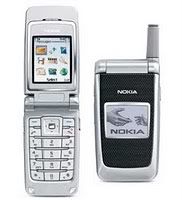
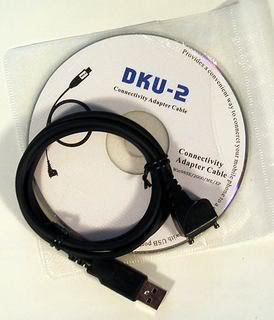
Saat ini koneksi internet menggunakan Hp cdma 3155 atau dial up modem dan menggunakan layanan flexinet unlimited. Pada kesempatan ini aku ingin sharing dengan temen tentang bagaimana caraku meng-koneksikannya ke Pc. Hal-hal yang perlu disiapin.
- Hp nokia cdma 3155 beserta kabel dku-2.
- Driver Nokia
Langkah-langkah:
- Download driver nokia connectivity. aku ga’ menggunakan software kayak Pc-Suite karena yang ku butuhkan hanya drivernya. Untuk driver nya yang seri baru nokia ada yang tidak bisa mengidentifikasi cdma 3155. Tenang saja, aku dah siapin buat temen-temen yang mau mencobanya. Kamu dapat mendownloadnya disini )
- Instal driver nokia Connectivity, just next and finish..
- Setelah selesai kemudian pasang kabel dku-2 dan Hp cdma 3155.
- Tunggu beberapa saat akan teridentifikasi secara otomatis seperti ngidentifikasi flash-disk.
- Selesai identifikasi kemudian buka control panel\Phone and modem option\ modem lihat disitu sudah ada “ nokia 3155 usb modem “
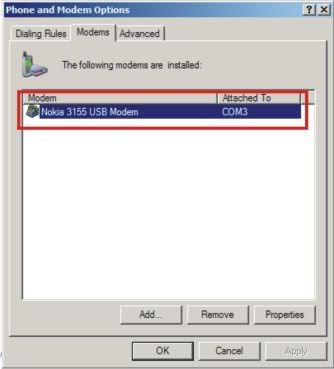
Jika belum ada maka teman harus membuat “dialing rule” baru, ga usah ribet-ribet dan repot-repot mengisi form pilih saja pada country/region dengan “international phone service”
Selesai… Selamat mencoba dengan koneksi internet broadband cdma 3155.
Langganan:
Postingan (Atom)
